Why won't my monitor run 4K 120Hz, HDR, 10-bit or full RGB?

Display Detective checks your Mac, its port, your cable and your monitor, names the one part that stops the picture you want, and shows the cheapest fix.

Coming to the Mac App Store. No account, no subscription.

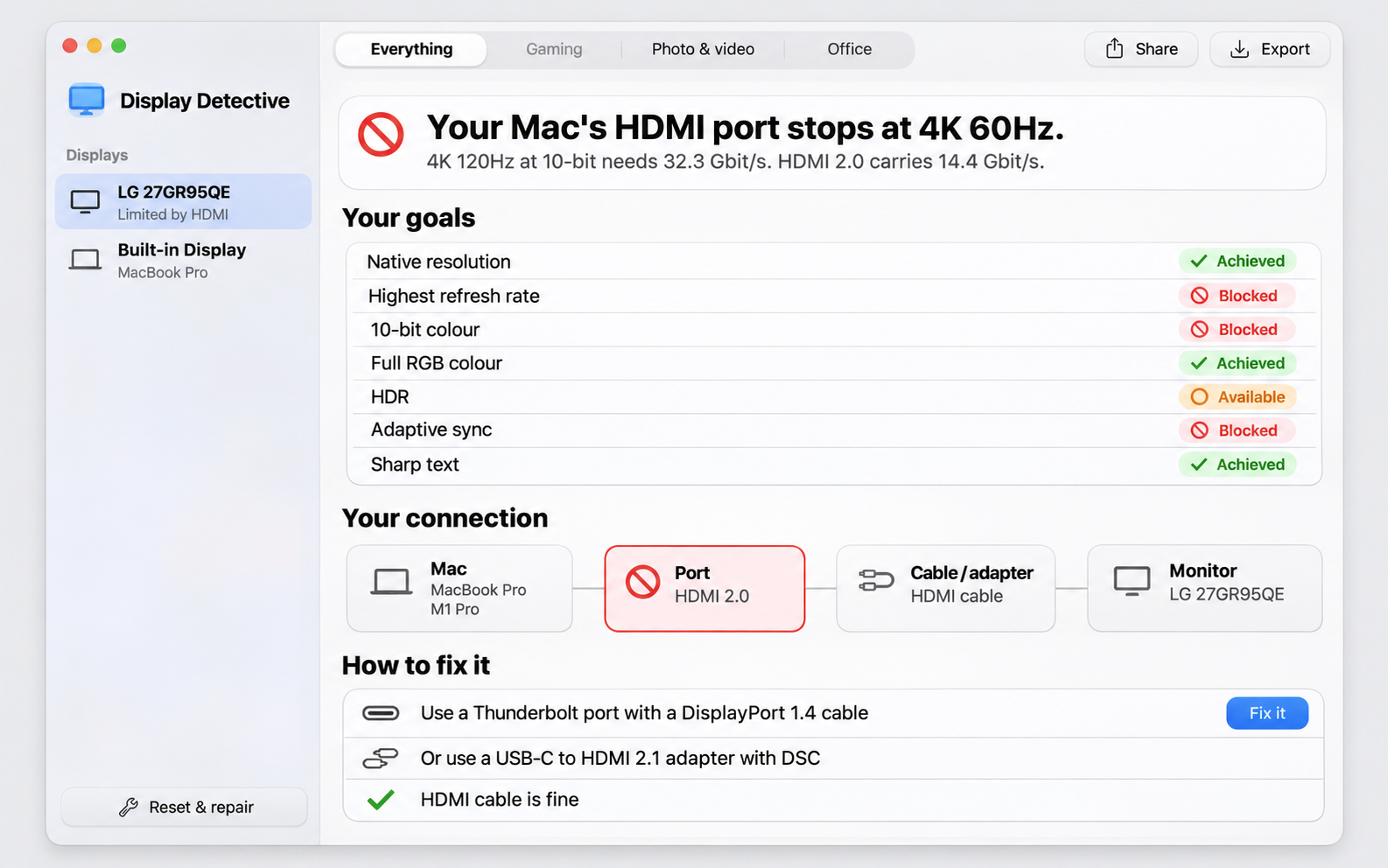
Display Detective showing that this Mac's HDMI port stops at 4K 60Hz. Goals list: native resolution achieved, highest refresh rate blocked, 10-bit colour blocked, full RGB achieved, HDR available, adaptive sync blocked, sharp text achieved. The fix: use a Thunderbolt port with a DisplayPort 1.4 cable.

How it works

You pick what you want. Display Detective follows the whole chain and marks the part that says no.

MacDisplay engines and port limits
PortHDMI 2.0 carries 14.4 Gbit/s
Cable or adapterWhat it can carry
MonitorWhat it says it supports

A Troubleshoot tab for every monitor

When the picture is wrong and the cause is not obvious, open the Troubleshoot tab of that monitor. Every reset the app knows is listed there, gentle ones first, in four groups.

When the diagnosis does not ask for a reset, the app can still try it. The button then says Run anyway. It runs through the same safety net as every other change.

Fix it safely

When the fix is a setting on your Mac, Display Detective can apply it for you.

Your AI assistant can drive it too

Everything the app does is also available without the window, through the same engine and with the same facts.

Private by design

The app has no network access at all, no account, no telemetry and no analytics.

Read the privacy policy

Requirements

macOS
26 (Tahoe) or later
Mac
Apple Silicon (M-series). Intel Macs are not supported.
AI explanation
Needs Apple Intelligence turned on in System Settings. Without it the app shows the facts and the verdict as before.
Permissions
Reads display and port state. No files, no network, no camera, no microphone.
The Display Detective app icon

Get Display Detective

Display Detective will be on the Mac App Store. This page gets the download button the day it goes live.

Does it work with HDMI, DisplayPort and Thunderbolt monitors?
Yes. It reads what macOS reports for each connected display, whichever port it uses.
Does it change my settings without asking?
No. It only reads until you press Run, and every change comes with a 15 second revert.
Does it work on Intel Macs?
No. Apple Silicon only.